Receive our bi-weekly roundup with tutorials, news and resources from the 3D world, and fresh updates on our latest content.
🚀 Texturing 3D Characters entirely in Blender
|
Today I want to expand on the Master 3D Characters Part 3 update and specifically why we teach you to texture an entire character without leaving Blender. First, tools like Substance Painter are widely used for good reason, we are not agains it at all, it’s a industry standard powerful tool. But, it’s also valuable to stay in creative flow, inside one program like Blender. So you can move from sculpting, to modeling, to texturing, to lighting, without breaking your flow. That is the core and main reason for this update. The good news is that what we teach are not Blender specific tricks, they are industry standard workflows, like PBR materials, roughness, AO, pointiness, baking and more. Meaning what you learn doesn’t stay inside Blender, you can choose to stay in flow, working entirely within one tool. Or you can take the same knowledge and apply it in other software. Neat! Additionally, we have a special offer running to celebrate the course update, Master 3D Characters is 20% off until May 7th 2026 - 23:59 CEST. 20% Coupon Code: TEXTURE20 If you want to jump straight into the course overview, checkout student reviews and play the chapter introduction videos, 👉 click this link. The Challenge with Texturing 3D Characters Once you have a clean basemesh, retopologized and UV unwrapped, you have a solid foundation. And at the sametime this can feel daunting. How do you texture metal, cloth, leather, shoes, skin, lips, eyes and more? And more importantly, how do you make it look believable and stand out? How we approach it, step by step, in our Master 3D Characters Course We start with painting the skin. Here Jim will teach you to use vertex colors and paint layers. Then baking and using effects like pointiness to have more control over the material and add those subtle effects that make your model stand out and look unique and believable. The neat part is that the workflow is non-destructive. Meaning you can adjust colors and effects later in the process. Jim also covers UDIMs, removing much of the fear and confusion around them. Many beginning character artists avoid UDIMs because they seem complex. In reality, it’s pretty straightforward. UDIMs allow you to treat multiple texture tiles as a single surface. Instead of being limited to one texture, you spread detail across several tiles that behave as one unified texture. In Blender, this becomes practical. You work on the material as a whole, and your changes propagate across all tiles. But when you export, those textures remain separate, giving you both control and flexibility. You can dedicate higher resolution to important areas, like the face, while keeping everything consistent. Adjust the skin once, and that change carries across all relevant parts. What Jim does is remove the mystery. You learn how UDIMs function, when to use them, and how to manage them in a clean, predictable way. Shifting into Procedural Workflows Instead of painting every detail by hand, next you learn how to generate them. This changes how you approach texturing. You’re no longer limited by what you can manually create, you define procedural textures that produce the result for you. We start simple, with basic node setups that are easy to control and understand. Then we build complexity. Layering patterns, shaping and baking the final look. Once you understand how to construct these procedural materials, you can apply the same approach to lips, skin details, or any surface where you don’t want to have to paint every stroke manually. Clothing For the clothes, we start with PBR textures, but simply downloading and applying a texture to a shirt doesn’t create something believable, it will look off and generic. Using the same principles introduced earlier, you’ll learn how to adapt materials to the character. Adjusting color, introducing variation, and adding details like seams and dirt, so the material feels specific to that character. Helping the clothing feel part of the person, its world and history. Jetpack and Hard-surface Materials Then its time to apply everything we have learned. With the jetpack we move faster, combining all the previously learned techniques together. You build everything from scratch, but in a way that’s modular and reusable for more projects. You’ll learn to build a base metal, add a paint layer, and define where that paint wears off. Scratches, edge wear, and rust are added where they make sense as well. We also learn to build a welding effect and some cool light materials for the jetpack that are procedural. In Summary We start with the skin, building control through layered painting and subtle variation. Then we move into procedural workflows for the eyes, learning how to generate detail instead of painting everything by hand. For clothing, we bring in PBR textures and focus on adapting them, adding seams, variation, and wear so they feel specific to the character. We finish with hard-surface materials. Building a base metal, then layering paint, scratches, grunge, rust, and even welding details. Finally, everything is optimized and baked. So it runs efficiently, works cleanly inside Blender, and can be exported to other tools easily. The goal is to give you a clear path from a clean model to something believable and personal. So, if you are serious about mastering the craft of creating high quality, believable 3D characters in Blender, this full course and update are for you. Master 3D Characters is 20% off until May 7th 2026 - 23:59 CEST. 20% Coupon Code: TEXTURE20
We hope this helps you on your creative journey, and thank you for reading about this latest update. Have fun! Jarosław, Zach & Alan (the CG Boost Newsletter Team) |
CG Boost - Bi-Weekly 3D Resources
Receive our bi-weekly roundup with tutorials, news and resources from the 3D world, and fresh updates on our latest content.
Hey Reader, Today, we have even more goodies for you than usual, so stay with us till the end. There are 3 new videos from our instructors and a free, flexible Blender Eye Kit (along with Jim’s tutorial). Louis shares a breakdown of his assistant bot, AiB, and Martin gets into intricate details of his stylized Spartan armor. Lastly, we share a beautiful feature film trailer made in Blender, and Humaniq - a new human characters library and crowd generator, so strap on your seatbelts and let’s...
Hey Reader, Before we even start, we’d love to let you know that the Film Stop Channel’s problems that we mentioned in the last newsletter are now resolved, and Colin’s control of the channel has been restored. 🥳 Now, on to the regular stuff. Today, we’ve prepared a whole bunch of goodies and inspirations from the 3D world, including a new 3D Character Challenge, a jaw-dropping painterly animation trailer, and two new free tools for Blender: a painterly filter compositing node and Southern...
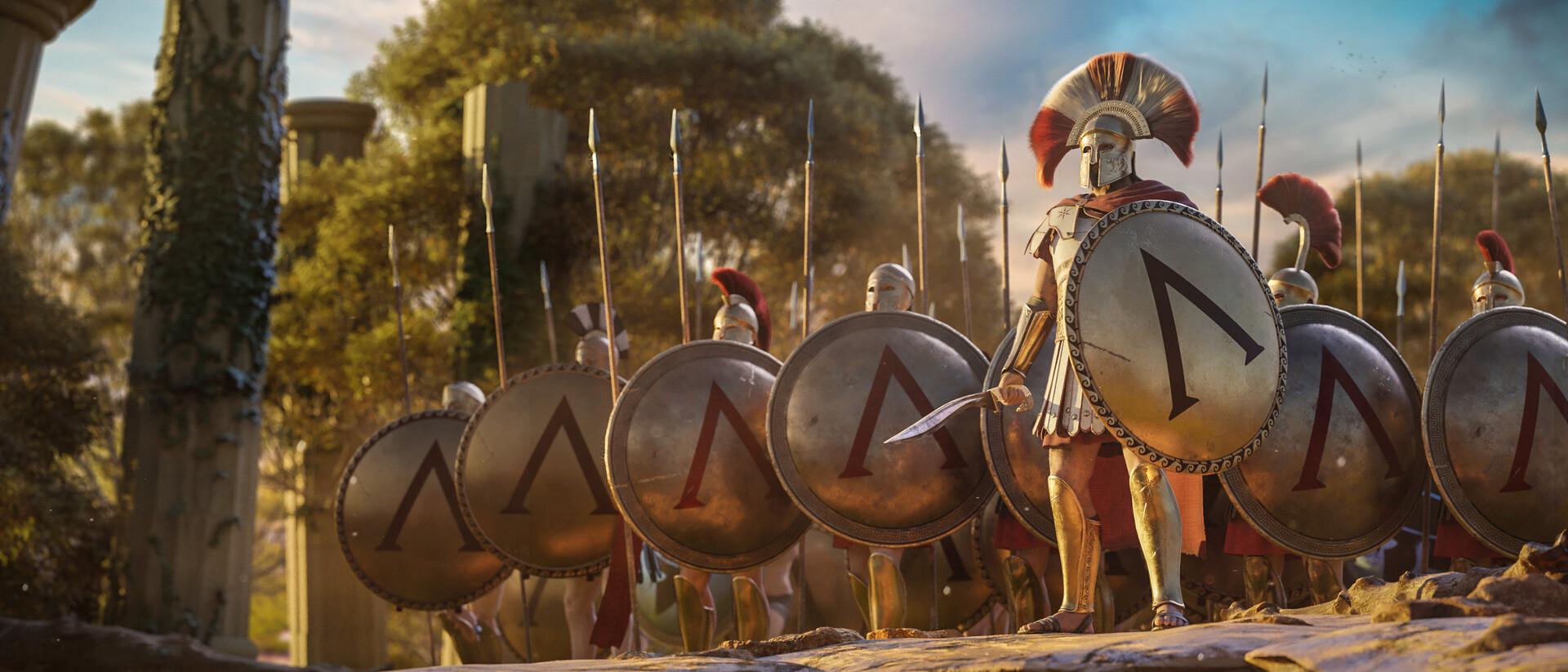
Hey Reader, Today we get to Interview Martin Klekner to talk about storytelling, the changing creative landscape, and why we decided to expand our Master Cinematic Storytelling Course with new lessons focused on Blender's Video Editor. If you don’t know Martin, he's the creator of the Heroes of Bronze Short Film, and has been pushing the envelope in CG Filmmaking in Blender for years. He’s also the creator of the CG Boost Master Cinematic Storytelling course and has his own YouTube channel...